
How General Practice Firms Use Legal AI Agents (Nov 2026)

Legal AI agents get things wrong sometimes, and legal work leaves almost no room for that. So before you hand any task to one, you want to know how it works, where it fails, and how to keep yourself in the loop. We'll cover what these agents actually do, a legal AI agents list sorted by the types that fit a general practice firm, and the ethics rules that still apply the moment one touches a client matter.
TLDR:
- A legal AI agent owns a task end to end: it plans steps, acts across your systems, and reports back for your sign-off.
- Agents differ from chatbots and copilots by autonomy, chaining many steps across firm systems with human review at decision points.
- Match the agent to your biggest time drain, from intake and document collection to research, drafting, and billing.
- Keep accuracy intact with source attribution, deterministic math for calculations, and mandatory attorney review before anything files.
- Glade AI runs multi-agent bankruptcy workflows that pre-populate questionnaire fields before paralegal review, cutting 8-plus-hour petition prep to roughly 2 hours.
What Legal AI Agents Actually Are
It is 4 p.m., three client inquiries sit unanswered, two document requests have gone quiet, and nobody has pulled the case law for tomorrow's filing. A general practice firm runs on dozens of these small, repeatable tasks, each one waiting on a person to pick it up.
A legal AI agent is software built to own those tasks end to end. Give it a goal, and it plans the steps, decides what to do next based on what it finds, and works through the task without a fresh prompt at every turn. It reads emails, uploaded files, and case records, takes actions across the systems your firm already runs, and reports back when it hits something that needs a decision.
The part that matters for a law firm: the agent does the legwork, you keep the judgment. It drafts, gathers, and routes. You approve, correct, and sign off on everything that carries legal weight.
How AI Agents Differ From Chatbots and Copilots
These three terms get used interchangeably in vendor marketing, but they sit at different levels of capability and autonomy, as Tray.ai lays out.
A chatbot answers a single question and waits for the next one. A copilot works alongside you, suggesting the next move while you stay in control of every step. An agent takes a whole task and runs it across several steps and systems, checking back only when something needs your call.
Dimension | Chatbot | Copilot | AI Agent |
|---|---|---|---|
Autonomy level | None, responds only when asked | Low, you drive each step | High, works toward a goal on its own |
Steps handled | One at a time | One at a time, with your input | Many, chained together |
Tool access | Usually none | The app it lives in | Across multiple firm systems |
Human involvement | Every message | Every step | At decision points only |
So no, an agent is not a smarter chatbot. A chatbot talks. An AI agent does the work.
What Happens When an Agent Runs a Task
Picture an agent assigned one job: prepare a new client intake for attorney review.
It starts by breaking the goal into steps, a sequence the agent builds itself:
- Read the signed engagement letter.
- Pull the uploaded documents.
- Extract the facts.
- Fill the intake record.
- Flag anything missing.

Then it gathers inputs, reads the files tied to the matter, pulls data your firm already keeps, and parses whatever formats the client sent.
Next it does the work: drafting summaries, extracting names and dates, populating intake fields, routing documents.
What separates this from a one-shot tool is persistence. If a document is blurry or a field does not match, the agent retries, looks elsewhere, and keeps moving toward the goal until the task is done or it hits something only a person can settle.
When it finishes, it surfaces the output for your review. Nothing files or commits on its own. You read what it produced, correct what is wrong, and approve. That final step is where the attorney keeps authority over every decision carrying legal weight.
Where AI Agents Save the Most Time in a General Practice Firm
The payoff shows up in the tasks that repeat daily across every matter. Start at the front of the funnel and work back.
- Client intake. An agent answers routine questions overnight, books the consultation, and starts the intake record before anyone opens a laptop, so the lead does not go cold.
- Document collection. It chases the client, checks uploads for legibility, renames the "scan_002.pdf" mess, and extracts facts your team would key by hand.
- Legal research. It pulls relevant authority and hands you a draft to verify.
- Drafting routine documents. Engagement letters, standard motions, and discovery requests populate from case data; you edit and sign.
- Deadline tracking. It reads court notices and drops dates on the calendar.
- Billing. Time entries, invoices, and payment follow-up run in the background.
A List of Legal AI Agents: 7 Types General Practice Firms Use
Each agent type below owns one slice of the work. Match them to where your firm actually loses time, and see Glade's AI features for how those slices connect inside one workspace.
- Intake agents. They answer prospect questions, book consultations, and open the matter record before staff touch it. Best fit: firms running paid lead generation where a cold lead is sunk cost, a common focus of client intake automation tools.
- Document review and drafting agents. They read uploaded files, extract facts, and populate routine documents like engagement letters, standard motions, and discovery requests. Best fit: high-volume practices with repeatable document sets.
- Legal research agents. They pull relevant authority and hand back a draft memo to verify. Best fit: litigation and appellate work where research hours pile up.
- E-discovery agents. They sort large document sets into responsive, non-responsive, and privileged buckets. Best fit: discovery-heavy civil matters.
- Compliance monitoring agents. They scan filings and deadlines against rules and flag what falls out of line. Best fit: oversight-heavy practice areas with recurring filing obligations.
- Client communication agents. They send status updates, reminders, and document requests on their own. Best fit: practices with heavy client contact, like family law or immigration.
- Billing agents. They capture time, generate invoices, and chase payment in the background. Best fit: firms leaking revenue to untracked hours.
How to Choose the Best Legal AI Agent for Your Firm
Start with the task that eats the most hours, not the agent with the longest feature list. Put a number on it first. As an illustration, if intake calls eat hours of staff time every week, start with an intake agent; if paralegals spend roughly an hour per case re-keying paystub data, start there instead. The "best" agent removes your firm's biggest daily drain, so a practice drowning in document chasing needs something different than one losing hours to legal research.
Work through these before you sign anything:
- Name the biggest time drain first. Pick the one task your team repeats across every matter and quantify what it costs.
- Match the agent to your practice area. A general assistant spreads thin; one purpose-built for your highest-volume case type goes deeper.
- Check integration with your case and document systems. An agent that cannot read or write back to your records just adds another window to monitor.
- Weigh security and confidentiality. Confirm how the vendor handles client data, where it is stored, and who can access it.
- Review the vendor's track record. Ask who else in your practice area runs it and what broke during rollout.
A specialized agent built for one task usually beats a general assistant trying to do everything, which is one of the clearer law automation benefits and use cases. Match the tool to the work, not the marketing.
Accuracy, Hallucination Risk, and Keeping a Human in the Loop
The plain answer: agents get things wrong. An agent can misread a blurry scan, pull the wrong figure off a statement, or draft a citation that does not exist. Legal work has almost no room for that error, so treat accuracy as the first design question, not an afterthought.
A few patterns bring the risk down:
- Source attribution. Every value an agent produces should show which document and which step it came from, so you verify instead of trust.
- Deterministic math for anything calculated. Statutory thresholds, deductions, and payment figures belong in fixed, rule-based logic, not AI inference. Output has to be reproducible and auditable.
- Mandatory attorney review. No agent output files or commits on its own. A person reads it, corrects it, and signs off.
- Testing on non-critical work first. Run an agent on internal drafts before it touches anything headed to a court or client.
None of this eliminates failure. It surfaces failure early enough to catch it, a core design principle behind sound legal workflow automation.
The Ethics Rules That Apply to Legal AI Agents
Running an agent does not change what you owe your clients. ABA Formal Opinion 512, issued July 29, 2024, confirms that lawyers using generative AI tools still owe their core duties: competence (Rule 1.1), confidentiality (Rule 1.6), communication (Rule 1.4), supervision (Rules 5.1 and 5.3), and reasonable fees (Rule 1.5). Each duty attaches the moment an agent touches a client matter, so every step the agent runs, from pulling documents to drafting and routing, still has to clear the same professional standards as the paralegal who used to do it by hand.
What that means in practice:
- Competence. Understand what the agent does and where it fails. "The software did it" is no defense.
- Confidentiality. Client data fed into an agent stays protected. Confirm where the vendor stores it and who can reach it, and get informed consent where a tool could expose client information to others.
- Communication. Clients deserve to know when AI touches their matter, especially if it shapes advice or fees.
- Supervision. Rules 5.1 and 5.3 put the duty to supervise AI use on you. Review an agent's work the way you would review a paralegal's.
- Reasonable fees. Time saved by an agent cannot be billed as if a person spent the hours.
Adoption is climbing unevenly, including among firms practicing bankruptcy law. The ABA's 2024 Legal Technology Survey Report found that 46 percent of attorneys at firms with 100 or more attorneys reported their firms use AI tools, up from 16 percent in 2023. Across all firm sizes, 30 percent reported using AI, up from 11 percent.
How to Roll Out AI Agents Without Disrupting Active Work
Do not flip every workflow at once. Pick one agent, run it on a high-value task where a mistake costs little, and keep your current process live beside it until the output earns trust.
A phased rollout that holds through busy weeks:
- Start with one workflow. Pick a repeating task that drains hours but carries no same-day court risk, like document intake or client follow-up.
- Prepare your data first. An agent is only as good as the records it reads, so clean up where case data lives before go-live.
- Set a governance policy. Decide what the agent may touch, what stays off-limits, and where client data is stored.
- Name the reviewer. One person owns checking agent output before anything reaches a client or court.
- Run it in parallel. Keep the manual process going while the agent shadows it, so active cases never depend on an untested tool.
- Measure, then expand. Compare output quality and time recovered against the old way before adding a second agent.
Each stage removes a different risk before the next one loads.
Why Glade AI Built Multi-Agent Workflows for Bankruptcy Firms
One task we kept coming back to was petition preparation, where a single case can run past 8 hours of assembly before anyone files. So we built it on specialized agents that hand off to each other, not one tool mapping fields, following what we call the Glade Blueprint. One agent reads and renames documents, another analyzes mortgage statements, another parses paystubs and calculates income, another populates schedules, another works exemptions against statutory limits.
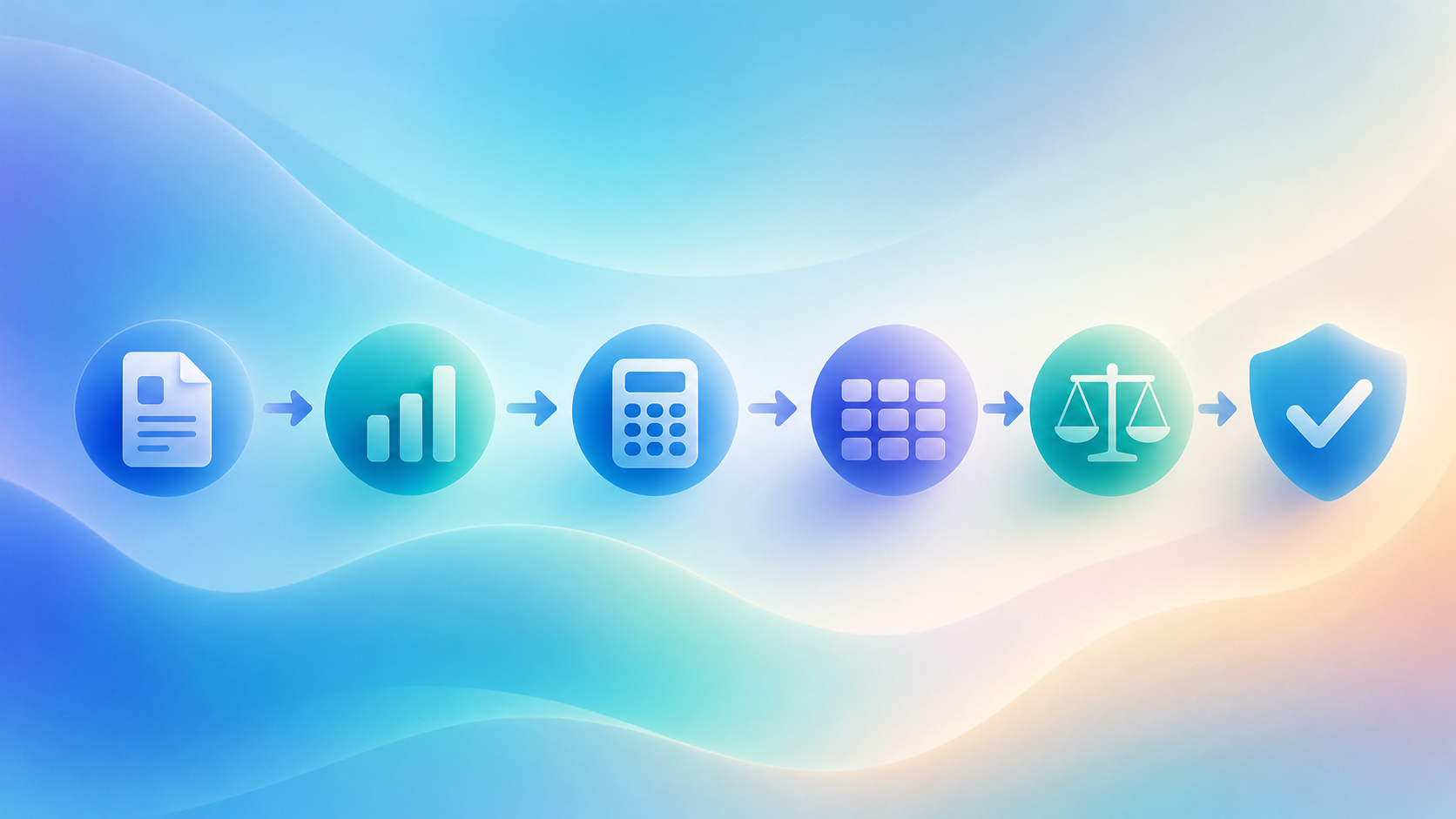
Together they pre-populate questionnaire fields before a paralegal reviews them, collapsing that 8-plus-hour assembly into roughly 2 hours. The attorney still approves every schedule, a workflow we walk through in more depth through Glade Academy.
Two choices keep accuracy and human-in-the-loop intact. Court-filed math, the means test and payment figures, runs on a deterministic, rule-based engine within Glade AI, never AI inference, so every result is reproducible and auditable. Re-running an agent keeps values the attorney already confirmed instead of overwriting them, so manual judgment calls survive.
To see multi-agent petition prep in action, look at Glade's bankruptcy workflows. If your firm handles work beyond bankruptcy, see how we apply the same agent approach to general practice workflows.
Final Thoughts on Bringing Legal AI Agents Into Your Workflow
Legal AI agents handle the drafting, gathering, and routing so your team spends time on the decisions that matter. Name your biggest time drain, run one agent in parallel, and let the results tell you when to add another. To see the agent approach in action, book a demo.
FAQs
What's the best legal AI agent for a general practice firm?
The best legal AI agent is the one that removes your firm's biggest daily time drain, not the one with the longest feature list. A practice drowning in document chasing needs a document collection agent, while litigation-heavy work benefits more from a legal research agent, so name your most repeated task first and match the tool to it.
How do I automate client intake and document collection to scale my firm's volume?
Start with one agent that owns intake and document chasing while keeping your current process running beside it. An intake agent answers prospect questions, books consultations, and opens the matter record before staff touch it, while a document collection agent chases clients, checks uploads for legibility, and extracts facts, all surfaced for your team to review, never filed on its own.
Can a legal AI agent file documents or make decisions on its own?
No. Every legal AI agent surfaces its output for human review, and nothing files or commits without an attorney reading, correcting, and signing off. ABA Formal Opinion 512 applies your supervision duties under Rules 5.1 and 5.3 to AI tools, so you review the agent's work like a paralegal's.
How does Glade AI keep its bankruptcy agents accurate on court-filed math?
Glade AI runs all court-filed math, the means test and payment figures, on a deterministic, rule-based engine, never AI inference, so every result is reproducible and auditable. Its specialized agents pre-populate questionnaire fields before a paralegal reviews them, and re-running an agent keeps values the attorney already confirmed instead of overwriting them.
How do I roll out AI agents without disrupting active cases?
Pick one repeating task that drains hours but carries no same-day court risk, like document intake or client follow-up, and run the agent in parallel with your manual process until the output earns trust. Clean up your case data first, set a governance policy for what the agent may touch, name one reviewer to check its output, then measure quality and time recovered before adding a second agent.