
General Practice Workflow Automation: AI Setup (August 2026)

You're probably spending more time managing cases than working them, and the gap between hours worked and hours billed doesn't lie. Law firm workflow automation closes that gap, but only when you build it in the right order, starting with the highest-volume steps at the front of the matter.
TLDR:
- Attorneys bill only 37 of 49 weekly hours worked; automating intake first recovers the most time fastest.
- Automate in this sequence: intake, deadlines, document collection, billing. Leading with billing slows ROI.
- Event-driven follow-up removes cognitive overload once your paralegal carries 80+ active matters.
- ABA Formal Opinion 512 requires attorney review of every AI output and a written firm AI use policy before deployment.
- Glade AI runs intake, document collection, billing, petition prep, and e-filing on a single case record for high-volume bankruptcy firms.
Recover the 12 Hours a Week That Disappear Before Billing
Twelve hours a week vanish before you bill them. Attorneys work an average of 49 hours weekly but bill for only 37, according to the Bloomberg Law Attorney Workload Survey. Where does that time go? Into the admin scaffolding holding cases together. More than three-quarters of lawyers (77%) still run task and project management out of their inbox. A firm running on email threads and manual follow-up is structurally capped on caseload, and the ceiling only lifts when you hire.
The Three Layers of Legal Workflow Automation
Most firms that tried automation touched only the first layer, then wrote off the whole idea. The gains live deeper.
Layer one is rule-based process automation: a predefined trigger fires a predefined action, like a deadline reminder when a date lands. Layer two is document automation, where templates pull case data to generate court-ready forms. Layer three is AI reasoning, where the system reads unstructured documents, classifies them, and extracts meaning instead of routing files blindly.

Each layer needs different tooling. Stack all three and the returns compound. Understanding law automation benefits and use cases helps firms decide where to invest first.
Highest-ROI Workflows to Automate First
Start where volume is highest, not where the demo looked best. Sequence determines whether a pilot sticks or dies. Intake sits first because it's the highest-volume, most repeatable step, and errors there cascade through every downstream workflow. Industry sequencing guidance favors intake first; billing automation returns less when upstream data is still manual.
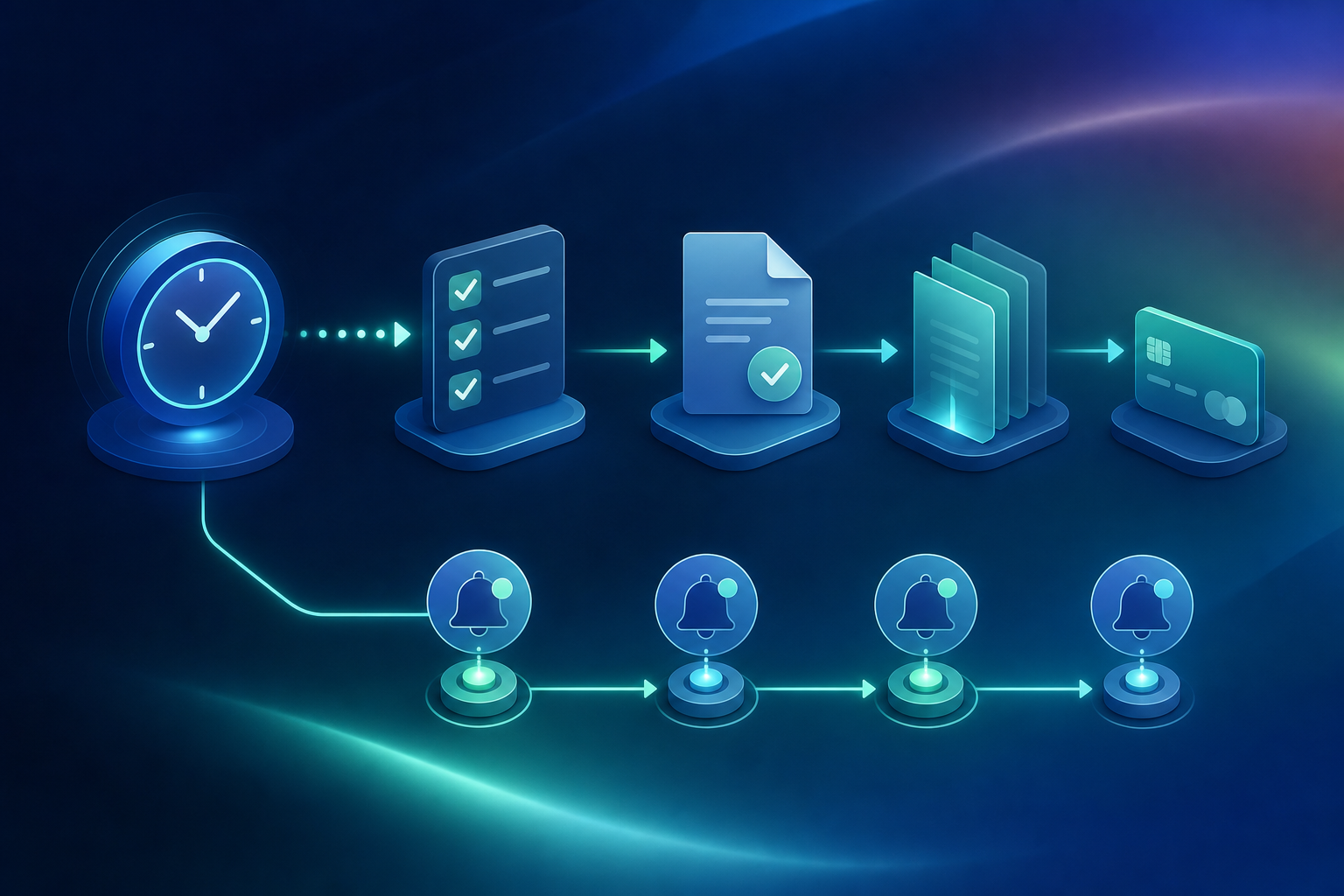
Tackle them in this order:
- Client intake and conflict checks
- Deadline tracking and calendar management
- Document collection and follow-up
- Billing reminders and invoice delivery
How to Automate Client Intake and Document Collection
The chain fires without a paralegal touching it: a web form submission triggers acknowledgment within minutes, a conflict check runs against your client database, the engagement letter generates and routes for e-signature, and the matter opens with intake data populated.
Document collection runs on the same logic. Build a structured checklist per matter, then let the follow-up sequence chase the client:
- Day two: automated email reminder on outstanding items
- Day four: SMS nudge
- Day seven: escalation to a staff task if nothing has landed
One caveat: many inquiries start on a phone, so your upload portal has to work cleanly on a smartphone.
Automating Client Follow-Ups Across a Large Active Caseload
Carry 80 active matters and manual follow-up stops being a time problem. Once a paralegal is carrying that many open document requests across concurrent cases, it can become cognitive overload, a direct consequence of failing to reduce manual entry for your bankruptcy firm. No one can hold every status in their head and compose individual chase messages without something slipping.
Event-driven follow-up closes that gap. The trigger is the case event itself: a document uploaded, a questionnaire completed, a payment received, a deadline approaching. Each event fires the next message.
Behavioral statuses control the flow, suppressing follow-ups, advancing the workflow, or reassigning a task automatically. The paralegal moves into the exception-handler role, stepping in only when automation escalates an unresolved item.
Case Management and Court Deadline Automation
A missed deadline is a malpractice event, not a slow afternoon. Rule 1.3's duty of diligence means a blown filing date is a documented failure to act, and the bar complaint writes itself. Understanding AI in bankruptcy law helps firms apply these tools within their ethical obligations.
Court deadlines populate the calendar from the triggering event: a filing date, a court order, a statute clock. Task routing assigns work by matter type, practice area, or workload, so nothing waits on someone remembering to hand it off.
The failure mode automation kills is invisibility. Real-time matter tracking puts current case status in front of the whole team, no status-check email required.
Billing and Time Capture Automation
Billable time leaks between finishing a task and remembering to log it. Automated capture records hours the moment the task fires, not from memory at 6 p.m. Invoices generate off matter milestones instead of a monthly billing scramble. Cutting manual entry further compresses the time between document receipt and billable output. Payment reminders run a sequence: day 14, day 30, day 45, escalation at day 60.
Firms running workflow automation consistently report measurable improvement in realization rates, meaning the gap between work performed and work billed, as automated time capture closes the logging lag that manual entry creates.
One ethics line matters. When AI compresses a four-hour task to 45 minutes, you bill 45 minutes. Formal Opinion 512 leaves little room for the opposite.
How to Set Up Your First AI Workflow
Do the audit before you buy anything. Map the workflow end to end: every touchpoint, every handoff, every exception path. You cannot automate a process you cannot describe.
Then run one pilot. One practice area, one process type. Track hours recovered and errors eliminated, because that record becomes the internal case for scaling.
Once the pilot holds, connect it to adjacent steps: intake data feeds document generation, document completion triggers billing. Automation compounds when workflows chain.
Before you scale, set governance: an approved tools list, data handling procedures, human review checkpoints, and a clear escalation path for any AI output outside expected parameters. A custom-built AI solution for your bankruptcy firm can sharply accelerate this transition.
What Actually Works vs. What's Still Hype
What holds up in daily use is settled. What underdelivers is just as clear.
What Works | What Underdelivers |
|---|---|
Centralized dashboards with matter-level reporting | No-code general tools stretched over complex legal workflows |
Event-driven client communication | AI run without attorney review |
Drafting support for high-volume standard forms | Automating one isolated task while the surrounding process stays manual |
Automated billing reminders | Half-implementation (e.g., web intake form with no conflict check, engagement letter, or matter creation connected) |
The common failure is half-implementation. Automate a web intake form without connecting it to conflict checking, engagement letter generation, and matter creation, and you recover a fraction of the available time. See how a high-volume bankruptcy firm cut its workflow overhead by connecting every step.
Ethics and Compliance Requirements for Legal Automation
Ethics is the governance layer that makes automation defensible. In July 2024, the ABA released Formal Opinion 512, its first on AI. Four rules do the work:
- Rule 1.1: competence now includes understanding what your AI can and cannot do.
- Rule 1.6: confidential client data cannot enter any AI system without adequate protection.
- Rule 5.3: an attorney verifies every AI output and stays responsible for the work product.
- Rule 1.4: clients may need to be told when AI touches their matter.
Put a firm AI use policy in writing before you deploy anything client-facing.
How to Choose Workflow Automation Software for Your Firm
The wrong tool creates technical debt harder to unwind than staying manual. Filter on four criteria:
- Integration depth: a tool that does not connect to your system of record builds a new data silo instead of closing one.
- Legal-specific data models: general tools need heavy configuration to approximate conflict checks, trust accounting compliance, and court-specific requirements. Firms that automate document collection with legal-native tooling avoid this configuration burden entirely.
- Implementation timeline: months of configuration before value returns is a real adoption risk for smaller firms.
- Scalability: check whether per-seat pricing makes matter-volume growth punishing.
Firms often underestimate automation implementation costs, with the ABA's 2025 Legal Technology Survey reporting an average shortfall of 55%. The full picture includes configuration, staff training, and the parallel-system overlap period before full cutover. Scoping implementation as a fixed-fee project with clear deliverables before signing keeps the total cost visible upfront rather than accumulating as change orders.
How Glade AI Automates the High-Volume Case Lifecycle
Most high-volume consumer bankruptcy firms run four to seven disconnected tools held together by a paralegal maintaining the connective tissue by hand. Glade AI for bankruptcy replaces that stack. Intake, document collection, billing, petition preparation, e-filing, and post-filing notice management all run on the same case data.
The AI layer assembles it, pre-populating up to 50 to 75 percent of questionnaire fields before paralegal review. Petition prep drops from 8+ hours to roughly two, with PACER e-filing completing asynchronously in 7 to 10 minutes.
The means test stays deterministic math against statutory thresholds, not AI inference, keeping every output court-defensible under the supervision duty Formal Opinion 512 sets.
Final Thoughts on Law Firm Workflow Automation Done Right
The twelve hours a week that go unbilled are not random, they follow a pattern, and that pattern is automatable. Start with the highest-volume steps, run one real pilot, and measure what you recover before you scale. Governance, ethics compliance, and a connected tool stack are what separate firms that compound gains from firms that automate one task and call it done. Book a demo to see how Glade chains those steps together for high-volume practices.
FAQs
How should a law firm automate client follow-ups when managing 80 or more active cases?
At 80+ active matters, build a day-2 email, day-4 SMS, day-7 staff-task sequence and rely on behavioral statuses to suppress resolved items. Each event fires the next message automatically: document uploaded, questionnaire completed, payment received. Behavioral statuses can suppress follow-ups, advance workflows, or reassign tasks without a human touching it, shifting the paralegal from follow-up sender to exception-handler across the full caseload.
How does a paralegal fit into an AI-assisted bankruptcy workflow: what tasks do they still own and where does the AI take over?
The AI handles the extraction, classification, and assembly work: parsing paystubs and credit reports, pre-populating questionnaire fields, routing court notices, and dispatching document follow-ups automatically. The paralegal moves into exception-handling and judgment calls: reviewing flagged conflicts between data sources, approving AI-suggested file renames in bulk, managing escalated items the automation couldn't resolve, and coordinating the attorney handoff once a case is complete. The attorney stays in the decision seat on every petition field before filing; no AI action overwrites a confirmed value without attorney approval.
How do I automate PACER court notice tracking for my law firm's active cases?
Add a dedicated Glade-managed email to your PACER account and incoming notices route automatically to the correct case timeline, with no inbox monitoring and no manual re-linking. The system classifies each notice by document function across all 94 federal bankruptcy districts and can trigger downstream actions immediately: a 341 meeting notice fires a client email with the date, time, and Zoom credentials already filled in; a deficiency notice creates a staff task. Each notice fires its automations independently, so a failure on one action does not block the rest from executing.
What's the right sequence for setting up law firm workflow automation for the first time?
Intake first, then deadlines, document follow-up, and billing. Apply the same governance checklist covered above before scaling. One practical note for smaller firms: resist the urge to automate billing before front-of-matter steps are solid, since upstream manual data makes billing automation slower to return value.
What types of law firms does Glade AI support, and does it work for general litigation or business law firms?
Glade AI is built for high-volume consumer bankruptcy practices running Chapter 7 and Chapter 13 cases, with additional support for immigration and General Law workflows. It does not support general civil litigation, business law, criminal defense, Chapter 11, or appellate work as viable end-to-end use cases. That depth (native means-test calculation, PACER e-filing across 16 supported e-filing districts (notice routing covers all 94), and a Chapter 13 Plan Calculator) is specific to that vertical and does not transfer to practices outside it.