Client Portal Software for Bankruptcy Firms (August 2026)

When a client emails Tuesday and hears back Friday, they've already called twice. That's not a capacity problem you solve by hiring. It's a workflow gap you close by giving clients direct access to their case, their documents, and their billing in one place.
TL;DR:
- 68% of clients switch firms over poor communication, and only 21% of firms offer case status updates online
- A legal client portal ties messages, documents, billing, and case status to the matter, replacing insecure email threads
- Model Rule 1.6(c) requires reasonable data protection steps; email meets none of the four security non-negotiables
- Require AES-256 encryption, multi-factor authentication, role-based access, and a full audit trail from any legal client portal software you demo
- Glade AI supports Chapter 7 and Chapter 13 firms.
The Communication Gap That's Costing Law Firms Clients and Cases
A client emails Tuesday asking where their case stands. A paralegal sees it Thursday, replies Friday, and the client has already called twice and left a voicemail nobody returned. Multiply that across a full caseload and it turns expensive. According to legal industry research on client retention, 68% of clients switch firms over poor communication, and 41% blame unresponsive staff.
Email and phone were never built to carry that load. Every status question interrupts someone, every document request starts another thread, and the firm absorbs the cost in churn and staff hours.
Most firms leave clients guessing. Only 21% offer case status updates online, according to the ABA's 2023 marketing tech report, and more than half of surveyed firms give clients no secure portal at all.
That gap plays out daily. Paralegals field status calls instead of moving cases forward. Inboxes fill with one-off document requests. Clients who never hear back assume the worst and leave without a word. Firms that close this gap turn a routine weakness into an edge over slower competitors.
What Legal Client Portal Software Actually Does
A legal client portal is a secure, authenticated workspace where a firm and its clients exchange messages, share documents, check case progress, and handle billing without pushing sensitive information through personal email or text.
Dropbox and Gmail were built to move files and messages, not to run a matter. A portal ties everything to the specific case it belongs to, controls who sees what, and logs every action for an audit trail those general tools cannot produce.
Most legal client portal software bundles five core functions:
- Secure messaging
- Document collection and sharing
- Case status visibility
- Appointment scheduling
- Payment access
Few offer all five, and the missing ones are where the daily friction returns.
Core Features Every Legal Client Portal Software Must Include
Take this checklist into any legal client portal software demo. Each item separates a portal built for legal work from a generic tool dressed up for it.
Feature | What to Require | Why It Matters |
|---|---|---|
Secure two-way messaging | Thread-based, tied to the matter, with client alerts | Clients stop hunting through email for a reply; every exchange stays in the case record |
Document request workflows | Specific document slots with due dates and required-versus-optional flags | Replaces a bare upload folder with a tracked checklist that makes gaps visible |
Automated follow-up reminders | Configurable cadences per document request | The system chases outstanding items so staff don't send one-off emails all day |
Case status visibility | Milestone tracking clients can check themselves | Cuts the "what's happening with my case?" calls before they reach a paralegal |
Integrated billing and payments | Invoices and payment acceptance in the same session, no redirect | Portals that also handle AI-powered paystubs and bank statements eliminate even more manual steps |
Mobile access | Responsive design or a dedicated app | Most clients open a portal on a phone first; mobile design drives adoption more than any other factor |
Case-system integration | Data flowing both ways, no duplicate entry | Uploads populate schedules and records directly, with no paralegal bridging two systems |
Security Standards Every Legal Client Portal Software Must Meet
Model Rule 1.6(c) requires attorneys to make reasonable efforts to prevent unauthorized disclosure of client information, and most state bars have adopted the same language. IBM's 2025 Cost of a Data Breach Report puts the global average breach cost at $4.88 million.
Hold any portal to four non-negotiables:

- AES-256 encryption at rest and in transit
- Multi-factor authentication on every login
- Role-based access controls that limit who sees each matter
- A complete audit trail logging who accessed what and when
Standard email clears none of that bar: no audit trail, no way to revoke a sent message, no delivery confirmation, insecure by default. If a court finds a firm failed to take reasonable protective steps under Model Rule 1.6(c), attorney-client privilege can be waived.
How Document Collection Through a Client Portal Works
Document collection breaks down the same way everywhere: a paralegal chases the same client for the same paystub across three emails. A portal reverses that flow.
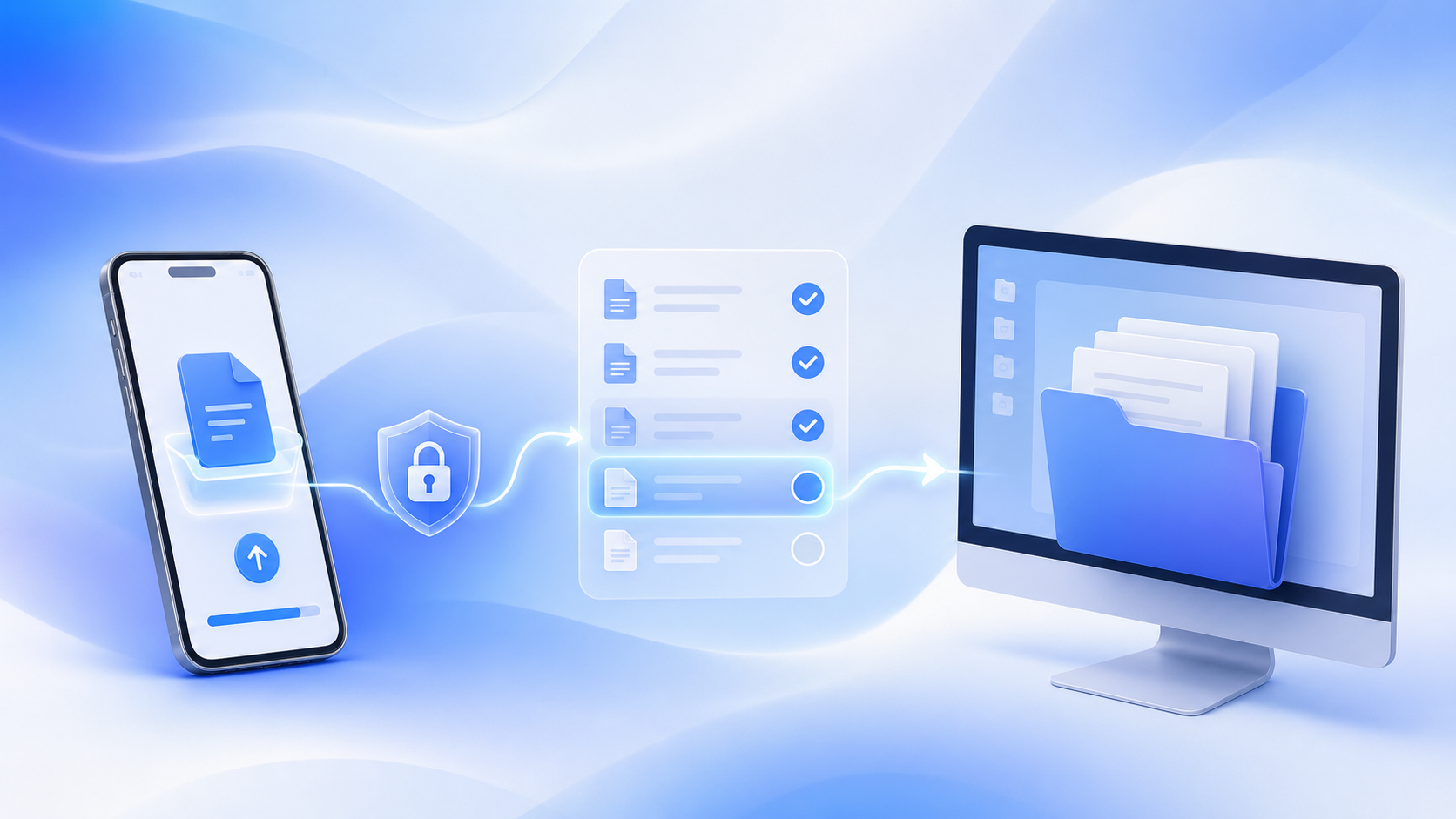
The firm builds a checklist of required and optional items, each with a plain-language description of what it is and why it matters, reflecting how bankruptcy firms automate document collection with AI. The client uploads straight from a phone or desktop.
From there, the portal handles the chasing. Set a cadence and it sends one reminder covering every outstanding item, not a separate email per document.
Rejection runs the same self-service loop. When a reviewer flags an upload as wrong or blurry, the client gets an immediate notice with the reason, the item flips to action-required, and they resubmit without a new email thread. It is one of several ways firms can reduce manual entry for bankruptcy.
The strongest portals go past storage. Data extracted from paystubs and bank statements populates case records directly, cutting the transcription step that normally follows collection. That is a core part of how AI in bankruptcy law is reshaping firm workflows.
Secure Messaging as a Replacement for Email in Legal Practice
Better email habits cannot fix email's structure. Messages pass through multiple servers, attachments stay visible to anyone with server access, nothing logs what was read, and a message sent by mistake can never be pulled back.
Portal messaging closes those gaps at the foundation, fitting into the broader picture of AI for bankruptcy law in 2026. Every thread ties to its matter, lives inside the case record, stays encrypted in transit and at rest, and opens only to authenticated parties with role-appropriate permissions.
For clients, the thread is always there, which cuts the "just checking in" calls that break staff concentration all day.
It also builds the record. A portal timestamps every exchange, so if a dispute surfaces later over what was said and when, the answer sits in the case file.
Billing and Payments Inside the Client Portal
Invoices generate in the case system, land in the portal, and get paid online. No check to mail, no separate processor, no phone call.
Clients see billing history, outstanding balances, and payment plan schedules in the same session where they check case progress, which cuts the "why is my bill this much?" calls before they start.
For consumer practices, payment plans matter most. Portals that configure and monitor those plans inside the case workflow retire the tracking spreadsheet entirely.
Online payment is still not universal. The ABA's 2023 survey found only 41% of firms offer online invoicing and bill payment, so it remains a real competitive advantage, which is one reason more firms are choosing bankruptcy practice management software built around reducing paperwork.
Mobile Access and Client Adoption
A portal clients ignore does nothing. Adoption is decided at selection, because most clients open a portal on a phone, not a desktop. Force them to pinch and scroll through a small screen and completion rates drop.
Set the habit during intake. Show the portal in the first meeting and hand over login credentials before the client leaves.
Three mobile features move adoption most:
- Native photo-to-PDF conversion, so clients photograph documents without a scanner
- Push notifications that pull clients back when their case updates
- An interface that surfaces the next required action on open
Consumer-facing bankruptcy practices skew smartphone-primary, so mobile design matters more there than in commercial work.
How to Choose Legal Client Portal Software for Your Law Firm
Compare against your practice, not feature counts. Five variables decide fit when choosing legal client portal software:
- Standalone versus built-in: dedicated portals bolt onto your case records through an integration layer you maintain; a portal inside your case system starts with data already connected, so there is nothing to sync.
- Practice-area fit: generic portals miss matter-level document organization, court-filing integration, and jurisdiction-specific checklists. Legal-native tools understand the shape of a case.
- Volume capacity: a portal running 20 matters can crack at 100+ on follow-up delivery, notification reliability, and concurrent uploads. Test at your real volume, or book a bankruptcy demo to see how Glade handles it.
- Setup speed: measure contract-to-live time.
- Client-facing simplicity: check the client side as hard as the attorney side. A feature clients call the office to use costs more than it saves.
How Glade AI's Legal Client Portal Software Supports High-Volume Bankruptcy Practices
Glade supports Chapter 7 and Chapter 13 practices, where document collection is among the most common daily pain points for consumer bankruptcy firms.
What Legal Client Portal Software Actually Solves and How to Get Started
Switching from email and phone to purpose-built legal client portal software is not about adding technology. It is about stopping the interruptions that fragment your staff's day and the silence that erodes client trust. Start with secure messaging and document collection, get those running well, and the billing and status visibility fall into place behind them. Book a demo if you want to see how Glade runs those workflows for high-volume Chapter 7 and Chapter 13 practices.
FAQs
What's the difference between a standalone legal client portal and one built into a case management system like Glade AI?
A standalone portal connects to your case records through an integration layer your firm maintains, which means data can drift, sync can break, and someone still has to keep both systems current. A portal built inside your case management system starts with case data already connected. For bankruptcy practices filing 50 or more cases a month, that distinction determines whether the portal saves paralegal time or creates a new reconciliation task.
How do I set up automated document follow-up reminders in a legal client portal without spamming clients?
Build reminders at the document-request level, not the case level: assign each required item its own cadence so one overdue paystub triggers a targeted nudge instead of a blanket “you have outstanding items” message. The result is that clients receive relevant, timed reminders without the inbox noise that causes them to start ignoring your portal messages entirely.
Clio Client Portal vs. Glade AI for a Bankruptcy Firm Running 50-Plus Cases a Month
Clio is a well-regarded general practice management system with a broad feature set, including case management, calendaring, billing, document sharing, and a client portal (Clio for Clients) that works well for firms handling varied matter types across practice areas. For a general practice firm that also handles some bankruptcy work, it is a reasonable fit. The boundary condition for high-volume bankruptcy firms is architectural: Clio was not built around the Chapter 7 and Chapter 13 data model, so document uploads do not feed paystub extraction, credit report ingestion, or means-test calculations natively (based on publicly available information as of June 2025). Firms at 50-plus cases a month using Clio for client communication still need a separate petition prep tool and a paralegal to bridge the two systems.
What Software Should a Bankruptcy Law Firm Use to Replace Clio, Best Case, and Docketbird?
The replacement target is the four-tool stack: Best Case or Jubilee for petition prep, Clio or MyCase for case management and client communication, Docketbird or Court Drive for court-notice routing, and LawPay for payments. Each tool does its job well for the workflow it was built around. The friction is architectural: a paralegal manually maintains the data between them, and at 50-plus cases a month that bridging work compounds faster than any one tool can absorb. The argument is not that the individual tools in that stack are bad, but that no paralegal should be the integration layer between them.
Can Legal Client Portal Software Reduce Inbound Status Calls Without Adding Headcount?
Yes, and case status visibility is the mechanism. When clients can check milestones themselves inside the portal, the "what's happening with my case?" call stops happening because the answer is already there. Firms running client portal software with real-time status updates have reported notable reductions in inbound calls, and the math compounds at volume: at 200 active matters, each interruption absorbed by the portal instead of a paralegal recovers meaningful case-moving time across the week. The portal does not eliminate all client contact, but it absorbs the low-information-transfer calls that break staff concentration most frequently.